
반응형
Notice
Recent Posts
Recent Comments
Link
| 일 | 월 | 화 | 수 | 목 | 금 | 토 |
|---|---|---|---|---|---|---|
| 1 | 2 | |||||
| 3 | 4 | 5 | 6 | 7 | 8 | 9 |
| 10 | 11 | 12 | 13 | 14 | 15 | 16 |
| 17 | 18 | 19 | 20 | 21 | 22 | 23 |
| 24 | 25 | 26 | 27 | 28 | 29 | 30 |
| 31 |
Tags
- c++
- routes
- nodeJS
- BinaryTree
- Props
- count
- Context
- axios
- component
- css
- queue
- event
- map
- bit
- Callback
- JSX
- leetcode
- state
- DP
- array
- priority_queue
- route
- UE5
- treenode
- 비트연산
- Navigation
- server
- React
- node.js
- MySQL
Archives
- Today
- Total
우사미 코딩
[React] 프로젝트 구조에 대해 알아보자! 본문
반응형
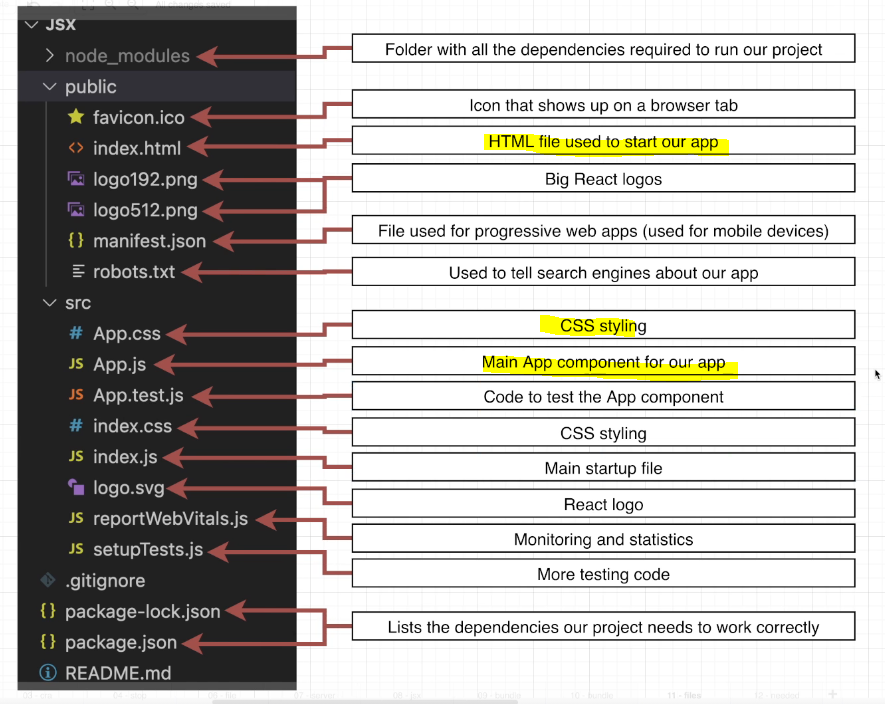
...?
그만 알아보자 ^^
는 뻥이고 앱을 구동시키는데 저 파일들이 다 필요한 것은 아니다!
중요한것만 알아보자.
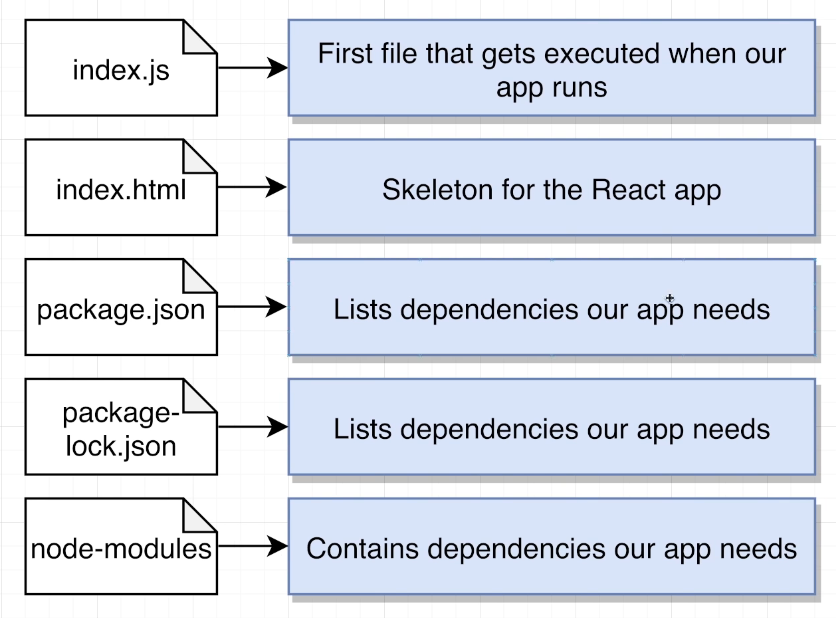
암튼 그렇다고 함
그럼 프로젝트에서 필요없는 녀석들을 제거-해보겠다.
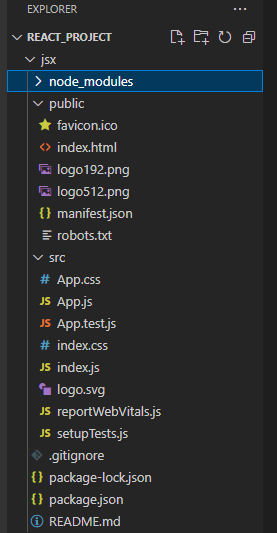
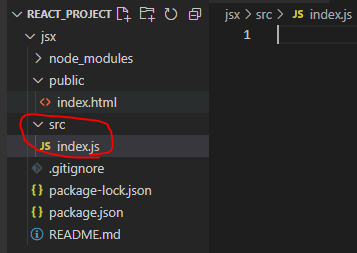
public에서는 index.html만 남기고 삭제했고
src폴더 안은 모두 삭제 후 index.js를 새로 생성햇다.
index.js파일은내 프로젝트가 브라우저 안에서 실행될 때 가장 먼저 수행되는 파일이다.
그럼 텅 빈 index.js파일을 아래와 같이 채워넣자!
    // 1) Import the React and ReactDOM libraries
    import React from 'react';
    import ReactDOM from 'react-dom/client';

    // 2) Get a reference to the div with ID root
    const el = document.getElementById('root');

    // 3) Tell React to take control of that element
    const root = ReactDOM.createRoot(el);

    // 4) Create a component
    function App(){
        return <h1>Hi there!</h1>;
    }

    // 5) Show the component on the screen
    root.render(<App />);
그럼 http://localhost:3000/은 h1태그 하나만 있는 페이지로 바뀐다.
App함수에서 <h1> 태그를 리턴하는 것을 jsx라고 하는데 다음에 이 jsx라는 녀석에 대해서 더 자세히 알아보겠다.
(라고 강사가 말했습니다)

끝.
반응형
'React' 카테고리의 다른 글
| [React] jsx의 경로와 import, export (0) | 2023.06.22 |
|---|---|
| [React] Jsx - converting HTML to JSX (0) | 2023.06.21 |
| [React] jsx에 대해 알아보자! 변수 선언과 활용 (0) | 2023.06.21 |
| [React] React 프로젝트를 만들자 (ft. Visual Studio Code) (0) | 2023.06.21 |
| [React] 내가 이해한 react (0) | 2023.06.20 |
'React' Related Articles
more


Comments