반응형
Notice
Recent Posts
Recent Comments
Link
| 일 | 월 | 화 | 수 | 목 | 금 | 토 |
|---|---|---|---|---|---|---|
| 1 | 2 | 3 | 4 | 5 | 6 | 7 |
| 8 | 9 | 10 | 11 | 12 | 13 | 14 |
| 15 | 16 | 17 | 18 | 19 | 20 | 21 |
| 22 | 23 | 24 | 25 | 26 | 27 | 28 |
| 29 | 30 | 31 |
Tags
- treenode
- DP
- BinaryTree
- map
- routes
- event
- Navigation
- server
- UE5
- c++
- route
- css
- Callback
- component
- nodeJS
- Props
- Context
- priority_queue
- node.js
- axios
- state
- queue
- 비트연산
- count
- bit
- React
- MySQL
- array
- leetcode
- JSX
Archives
- Today
- Total
우사미 코딩
[React] mapping - reorder data - mapping 본문
반응형
mapping하고 순서를 적용하려면 key를 설정해주어야한다
key는 유일값이여야 함
1. ImageList.js
    import ImageShow from "./ImageShow";
    import './ImageList.css';

    function ImageList({images}){
        const renderImages = images.map((image) => {
            return <ImageShow key={image.id} image = {image}/>
        });

        return <div className="image-list">{renderImages}</div>;
    }
    export default ImageList;
여기서 ImageShow 태그에 key를 추가해주었습니당
사진을 가로 최대 6개까지 나오게 하기 위해서 css도 추가함
2. ImageList.css
    .image-list{
        columns: 6 100px;
        column-gap: 10px;
    }
    img{
        width: 100%;
        margin-bottom: 10px;
    }
colums라는 속성과 column-gap을 사용하여 적당히 예쁘게 뿌려준다.
3. SearchBar.css
    .search-bar{
        border: 1px solid lightgray;
        border-radius: 5px;
        padding: 10px;
    }
    .search-bar form{
        display: flex;
        flex-direction: column;
    }
텍스트 입력창에서 속성 추가함
그럼 "cats"로 검색한 결과는
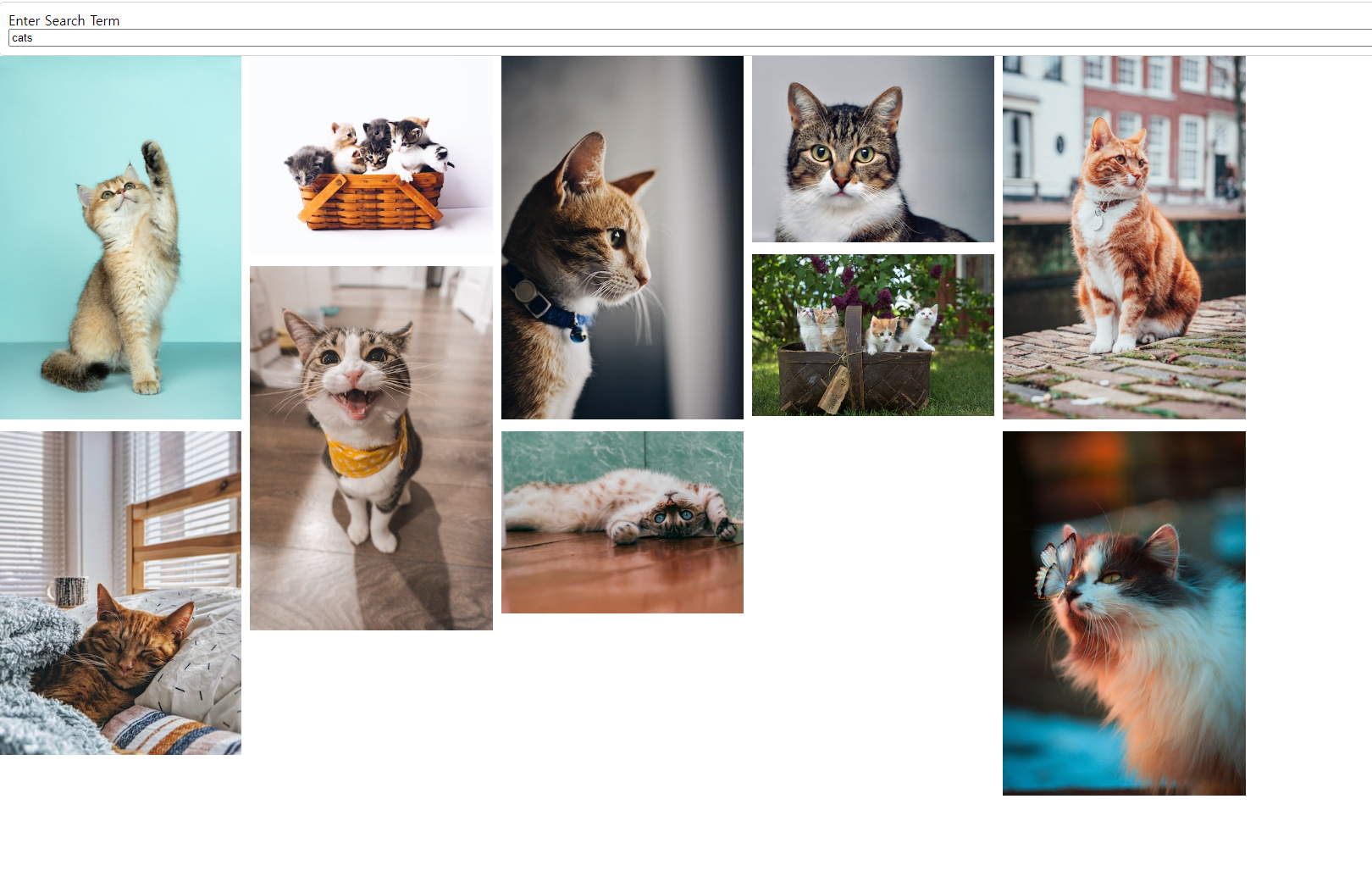
이렇게 나온다
긑!
반응형
'React' 카테고리의 다른 글
| [React] array, object 구성요소 추가, 제거, 변경 (0) | 2023.06.26 |
|---|---|
| [React] Books (1) - 빌드업, 계층구조 설계 (0) | 2023.06.25 |
| [React] event, eventHandler, callbackFunction (0) | 2023.06.25 |
| [React] Axios, API (0) | 2023.06.25 |
| [React] css파일 불러오고 적용하기 (0) | 2023.06.23 |
'React' Related Articles
more


Comments