
반응형
Notice
Recent Posts
Recent Comments
Link
| 일 | 월 | 화 | 수 | 목 | 금 | 토 |
|---|---|---|---|---|---|---|
| 1 | 2 | 3 | 4 | 5 | 6 | 7 |
| 8 | 9 | 10 | 11 | 12 | 13 | 14 |
| 15 | 16 | 17 | 18 | 19 | 20 | 21 |
| 22 | 23 | 24 | 25 | 26 | 27 | 28 |
| 29 | 30 | 31 |
Tags
- Context
- 비트연산
- state
- routes
- c++
- Props
- array
- axios
- map
- bit
- priority_queue
- route
- Navigation
- UE5
- queue
- BinaryTree
- node.js
- treenode
- server
- React
- JSX
- MySQL
- DP
- Callback
- event
- nodeJS
- component
- count
- leetcode
- css
Archives
- Today
- Total
우사미 코딩
[React] json-server 적용하기 (REST client, api.http) 본문
반응형
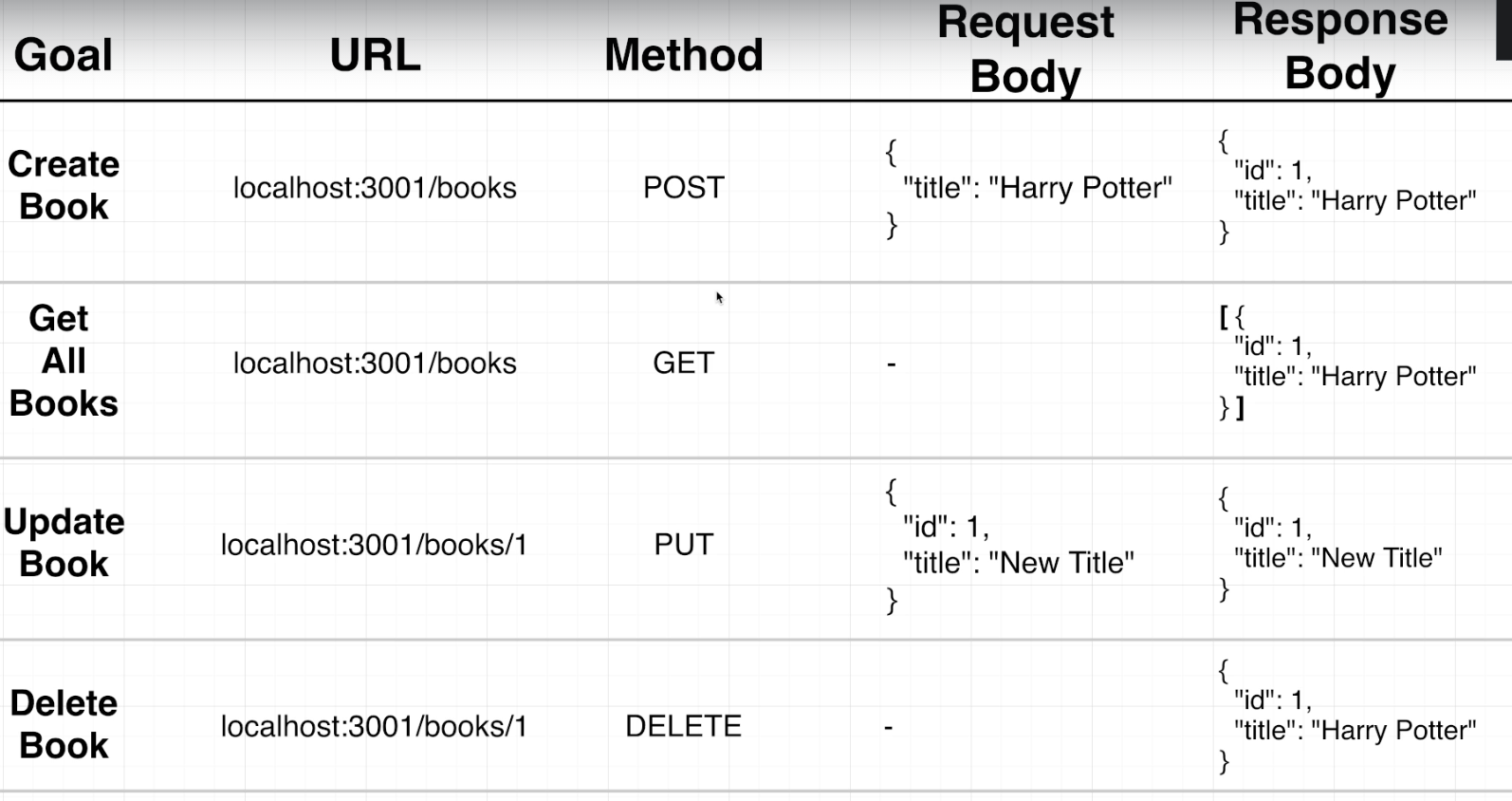
이제
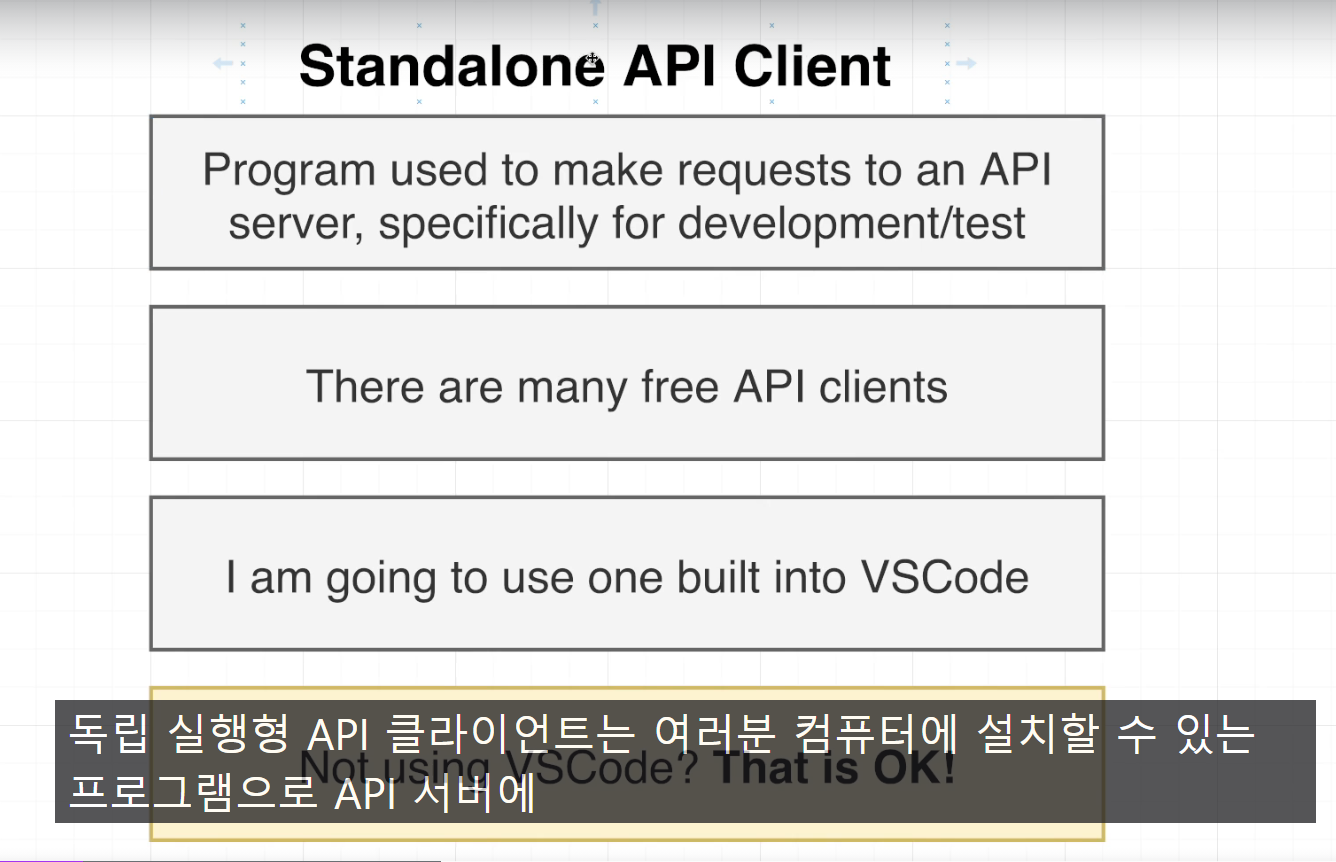
vs code 확장프로그램으로 api client를 설치하고 사용하려고 함
vs code extension에서 'rest client' 검색하고 설치 ㄱ
- 만약 다음과 같은 서버오류가 발생한다면 package.json의 server를 초록색과 같이 바꾸기
"The connection was rejected. Either the requested service isn’t running on the requested server/port, the proxy settings in vscode are misconfigured, or a firewall is blocking requests. Details: RequestError: connect ECONNREFUSED 127.0.0.1:3001"
- "server" : "json-server --port 3001 --watch db.json --host 127.0.0.1"
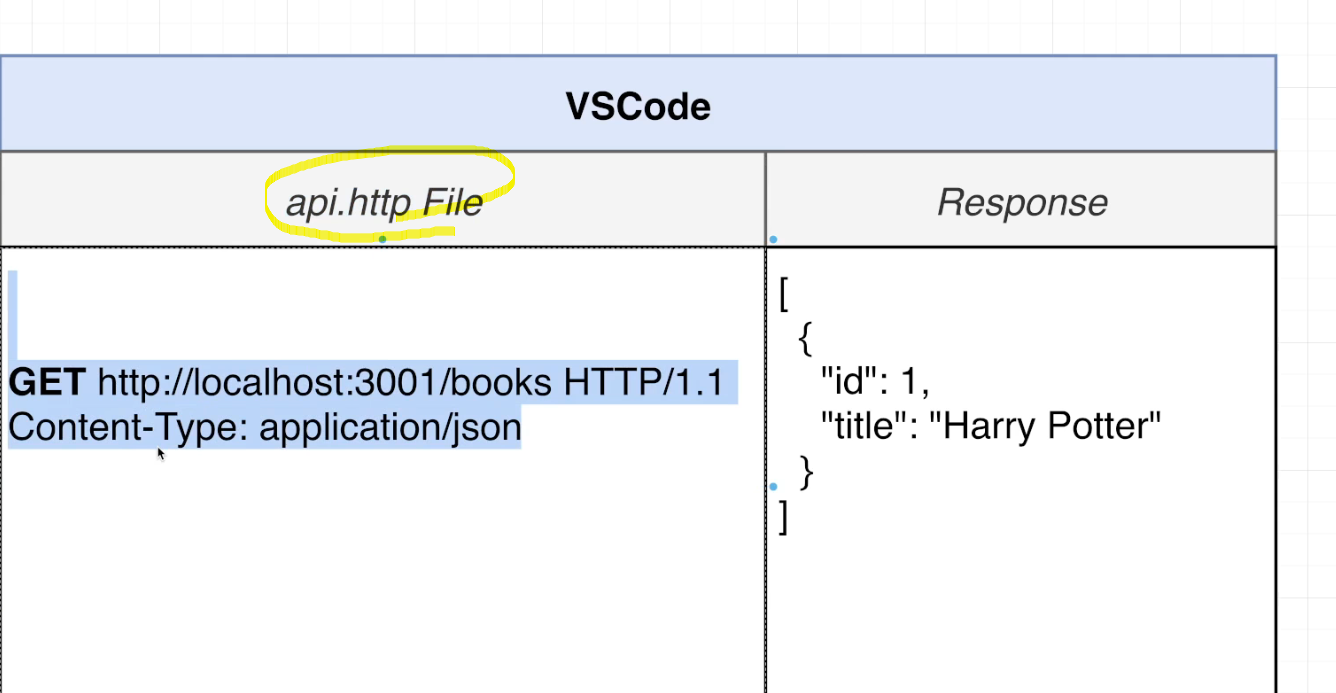
rest client설치하고 앱 root폴더에 api.http라는 파일 생성하는데
여기서 json server에 요청할 리퀘스트를 작성할거임
    GET http://localhost:3001/books HTTP/1.1
    Content-Type: application/json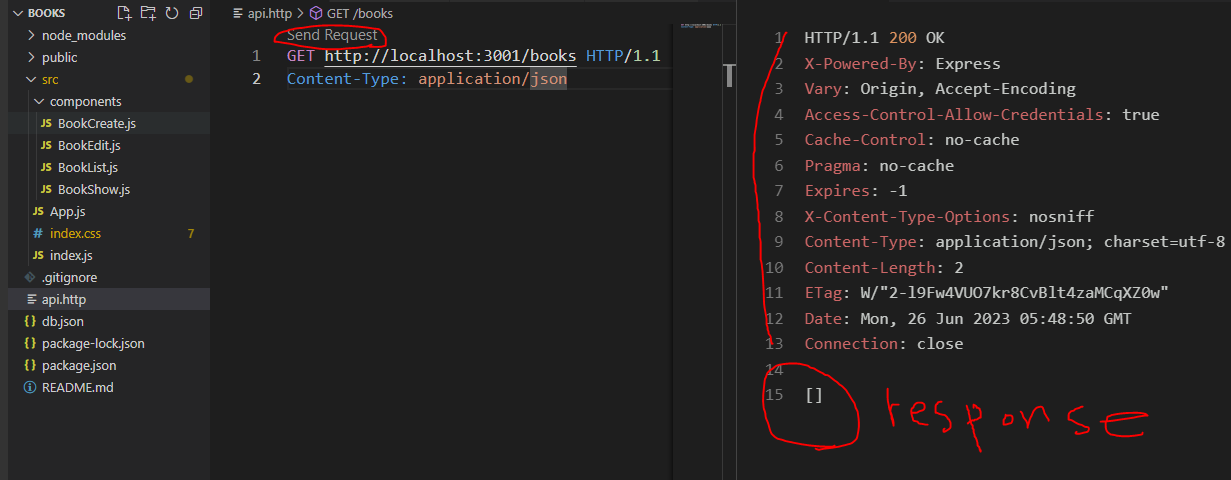
작성하고 send Request버튼 누르면 옆에 창이 뙇 하고 뜨는데 15번이 요청에 대한 response 임
post요청 작성하고 send request눌렀더니
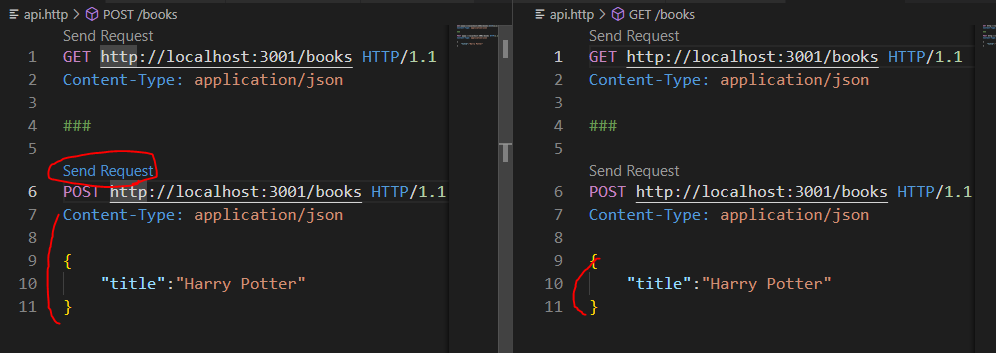
오른쪽9-11행에서 응답이 왓고
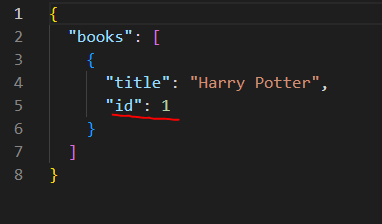
db.json 파일을 보니 id까지 생성된 상태엿당
일단 필요한 요청은 다 작성하고 테스트해봄
    #Get all books
    GET http://localhost:3001/books HTTP/1.1
    Content-Type: application/json

    ###
    #create a book
    POST http://localhost:3001/books HTTP/1.1
    Content-Type: application/json

    {
        "title":"Harry Potter"
    }


    ###
    #Update a book
    PUT http://localhost:3001/books/1 HTTP/1.1
    Content-Type: application/json

    {
        "title": "new Harry potato!"
    }


    ###
    #Delete a book
    DELETE http://localhost:3001/books/1 HTTP/1.1
    Content-Type: application/json
반응형
'React' 카테고리의 다른 글
| [React] context (0) | 2023.06.27 |
|---|---|
| [React] useEffect (0) | 2023.06.26 |
| [React] json server 설치하기 (0) | 2023.06.26 |
| [React] img태그 src에 react 변수 넣기 (0) | 2023.06.26 |
| [React] array, object 구성요소 추가, 제거, 변경 (0) | 2023.06.26 |
'React' Related Articles
more


Comments